

Introduction
WordPress powers millions of websites worldwide, making it a prime target for hackers, bots, and malware. A single vulnerability can lead to malware injections, brute-force attacks, defaced pages, or stolen data. Fortunately, securing your site is easier than you think. In this guide, we’ll explore 10 powerful tools—mostly free, with a couple of premium options—that can protect your WordPress site, strengthen login security, monitor for malware, and keep hackers at bay, so you can focus on growing your business safely.
Why WordPress Security Matters
Hackers constantly search for weak WordPress sites, exploiting outdated plugins, weak passwords, or unsecured themes. Attacks can result in:
- Malware or phishing injections
- Defaced web pages
- Data loss or corrupted databases
- Spam SEO attacks
- Unauthorized admin access
The best strategy is proactive: install security plugins and follow best practices before an attack occurs.
What to Look for in a Security Plugin
Before installing any tool, ensure it includes:
- Firewall (WAF) protection
- Malware scanning and auto-clean
- Login security: 2FA, CAPTCHA, limit attempts
- File integrity monitoring
- Real-time alerts
- Brute-force attack prevention
- Regular updates and active support
Even free plugins with these features provide strong protection for most sites.
10 Powerful Tools to Strengthen Website Security for WordPress
1. Wordfence Security (Free + Premium)
Wordfence is a trusted all-in-one WordPress security plugin that protects millions of sites worldwide. It offers a real-time firewall to block malicious traffic, advanced malware scanning with automatic cleanup, brute-force login protection, two-factor authentication, and detailed security reports. Its premium version adds country blocking, advanced firewall rules, and scheduled scans. Wordfence is ideal for beginners and advanced users who want a reliable, comprehensive security solution without compromising performance.
Key Features:
- Real-time firewall rules block malicious traffic before it reaches your WordPress site, keeping hackers out effectively.
- Malware scanner automatically detects threats and cleans infected files to maintain website integrity and safety.
- Country blocking (premium) restricts access from specific regions to prevent targeted attacks and unauthorized logins.
- Two-factor authentication adds an extra layer of login security, ensuring only authorized users access your site.

2. Sucuri Security (Free + Premium Firewall)
Sucuri is a robust security plugin designed to monitor and protect WordPress sites. Its free version offers security activity auditing, malware scanning, and blacklist monitoring, while the premium firewall adds advanced DDoS protection and CDN performance optimization. Sucuri ensures server-side scanning and file integrity monitoring, helping website owners detect and fix vulnerabilities quickly. Its lightweight code ensures minimal impact on site speed while maintaining strong protection.
Key Features:
- Server-side scanning detects malware, vulnerabilities, and suspicious activity before it affects your WordPress site.
- Website integrity monitoring checks core files and themes to identify unauthorized changes or corrupted content.
- Blocklist monitoring alerts you if your site is blacklisted, helping maintain SEO and user trust.

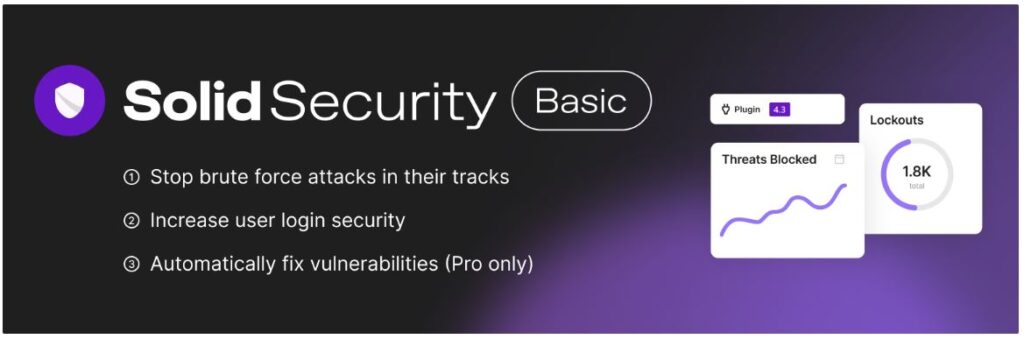
3. iThemes Security (Now Solid Security – Free + Pro)
iThemes Security, now called Solid Security, provides a simple yet effective way to secure WordPress sites. It protects against brute-force attacks, monitors file changes, and enforces strong password policies. With automated database backups, two-factor authentication, and scheduled security scans, it’s perfect for beginners and small businesses. The pro version includes malware scanning, advanced 404 detection, and network brute-force prevention, making it a flexible option for both free and premium users.
Key Features:
- Brute-force protection limits repeated login attempts to prevent unauthorized access to your WordPress admin.
- Database backups automatically save site content, ensuring recovery in case of hacks, crashes, or errors.
- File change detection monitors core files and themes for any unauthorized modifications, protecting site integrity.
- 2FA login protection adds an additional verification step to prevent unauthorized access to sensitive areas.
4. All-In-One WP Security & Firewall (Free)
All-In-One WP Security & Firewall is a comprehensive, free security plugin that organizes protection into beginner, intermediate, and advanced categories. It includes login lockdown, firewall rules, spam comment blocking, and file change detection. The plugin is lightweight and easy to configure, making it ideal for non-technical users. Its dashboard provides clear security strength scores and actionable recommendations, allowing users to systematically improve their WordPress website’s security without installing multiple plugins.
Key Features:
- Login lockdown blocks repeated failed login attempts to prevent brute-force attacks on WordPress admin.
- Firewall rules protect your site by filtering malicious requests and preventing unauthorized access.
- File change scanning monitors all core, theme, and plugin files for unauthorized modifications or malware.
- Spam comment blocking automatically detects and stops spam, keeping your WordPress site clean and professional.

5. Jetpack Security (Freemium)
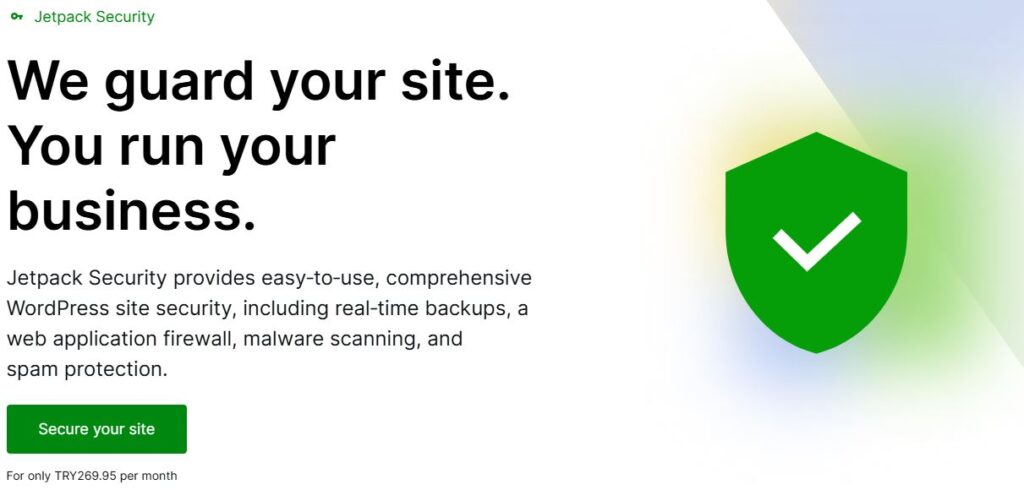
Jetpack Security is ideal for WordPress users already familiar with Jetpack tools. It offers real-time backups, downtime monitoring, brute-force protection, and malware scanning. The premium plan adds automated restores and priority support. Jetpack integrates seamlessly with WordPress.com accounts and ensures your site’s performance isn’t affected while providing robust protection. It’s especially suitable for blogs, small business websites, and online stores looking for a simple, all-in-one solution.
Key Features:
- Real-time backups with VaultPress ensure your website content is safe and can be restored quickly anytime.
- Downtime monitoring instantly alerts you if your site goes offline, reducing potential revenue and traffic loss.
- Malware scanning detects malicious code and security threats, keeping your website safe from attacks.
- Brute-force protection stops repeated login attempts, securing WordPress accounts from hackers effectively.
6. MalCare Security (Free + Premium)
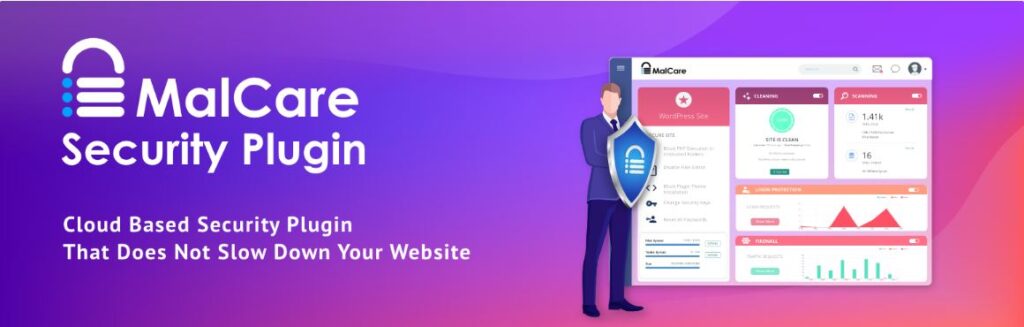
MalCare Security provides fast, automated malware scanning and easy removal with a single click. The plugin continuously monitors websites for suspicious activity, protects against brute-force attacks, and includes a firewall to block malicious traffic. The premium version offers real-time protection and automated cleanups, making it a favorite for busy website owners. MalCare’s cloud-based scanning ensures your site’s performance remains unaffected while offering enterprise-level security features for free and premium users.
Key Features:
- Auto malware cleanup (premium) scans and removes malware automatically, maintaining your site’s security.
- Real-time firewall blocks suspicious traffic before it reaches your WordPress website, preventing attacks.
- Login protection prevents brute-force attacks by monitoring failed attempts and restricting unauthorized access.
- Bot protection identifies and blocks malicious bots from crawling your website and stealing data.
7. WP Cerber Security (Free + Pro)
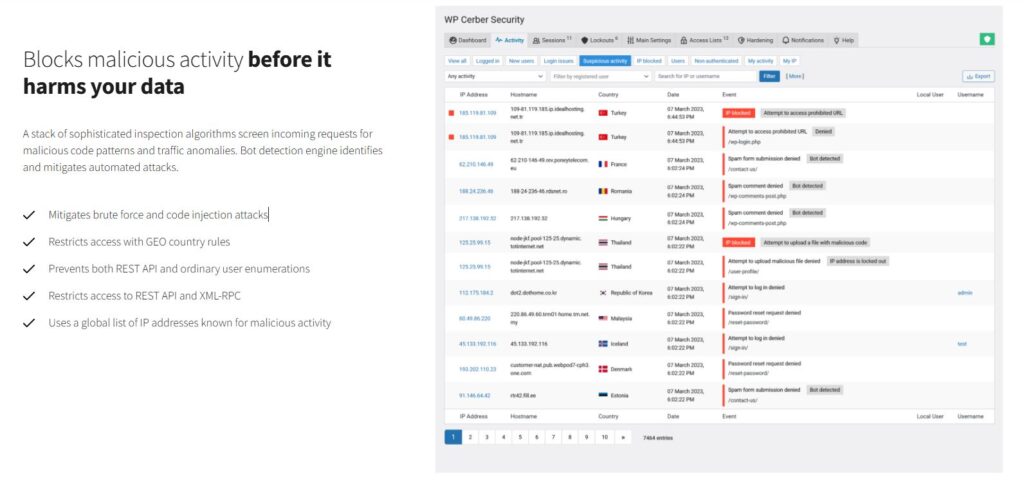
WP Cerber is a powerful security plugin that focuses on advanced threat protection and anti-spam features. It monitors and logs user activity, prevents brute-force attacks, scans for malware, and applies GEO access rules to block suspicious locations. Its anti-spam engine reduces unwanted form submissions, while real-time alerts notify admins about potential security issues. WP Cerber is lightweight and suitable for both personal blogs and professional websites seeking a free or premium security solution.
Key Features:
- Anti-spam engine blocks spam comments, registration spam, and form submissions automatically on your website.
- Activity logging records all user and admin activity to detect suspicious behavior or unauthorized changes.
- Malware scanning detects infected files, malicious scripts, and vulnerabilities to protect your WordPress site.
- GEO access rules allow restricting or allowing access from specific countries, enhancing website security.
8. Shield Security (Free + Pro)
Shield Security provides simple but highly effective security for WordPress websites. It automatically blocks bots, monitors login attempts, enforces two-factor authentication, and secures files and directories. Shield regularly checks for plugin and theme vulnerabilities and alerts admins about potential risks. Its user-friendly dashboard allows website owners to manage security settings without confusion. The pro version offers advanced reporting, real-time monitoring, and enhanced protection for high-traffic sites.
Key Features:
- Auto-block bots prevents automated attacks by blocking suspicious IPs before they reach WordPress login pages.
- 2FA login requires a second authentication step, adding a strong layer of security to prevent unauthorized logins.
- File locker protects core and sensitive files from unauthorized modifications or accidental changes.
- Plugin/theme vulnerability checks monitor installed plugins and themes for known security risks.

9. NinjaFirewall (Free + Premium)
NinjaFirewall is a stand-alone PHP firewall plugin that works before WordPress loads, offering advanced protection without slowing the site. It filters HTTP requests, blocks malicious traffic, scans files for malware, and provides detailed reports on attacks. NinjaFirewall’s premium version includes real-time alerts, logging of suspicious activity, and additional security layers for enterprise websites. Its unique approach ensures websites stay secure while maintaining optimal performance.
Key Features:
- Stand-alone firewall.
- Malware scan.
- File integrity.
- Real-time alerts.

10. WPGuard Security (Paid)
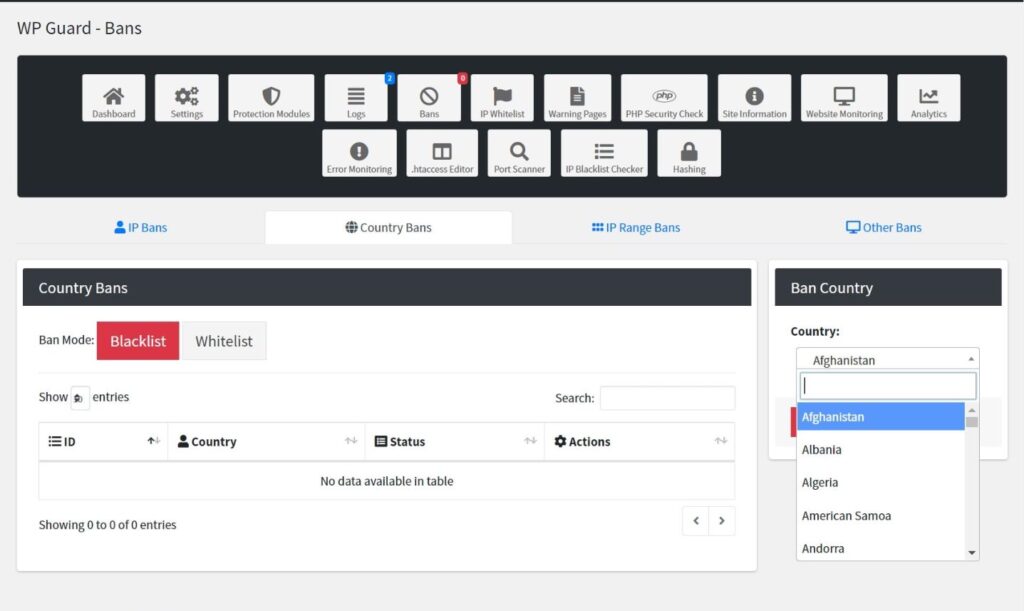
WPGuard Security is a premium CodeCanyon plugin providing advanced WordPress protection. It safeguards against SQL injections, cross-site scripting (XSS), cross-site request forgery (CSRF), and unauthorized access. WPGuard also manages security headers and monitors file changes. Ideal for professional websites, e-commerce stores, and developers seeking enterprise-level protection, this plugin complements free tools and adds a strong firewall layer, making it one of the most comprehensive premium WordPress security solutions available.
Key Features:
- Stand-alone PHP firewall runs before WordPress loads, blocking malicious requests to ensure strong protection.
- Anti-malware filtering detects malicious code in requests and stops threats from reaching your website.
- File integrity checks monitor core files for unauthorized modifications, protecting WordPress from hacks.
- Real-time alerts notify admins immediately about suspicious activity, failed logins, or malware detection.
Comparison Table (HTML-Ready)
<table>
<tr><th>Plugin</th><th>Firewall</th><th>Malware Scan</th><th>Login Security</th><th>Price</th></tr>
<tr><td>Wordfence</td><td>Yes</td><td>Yes</td><td>Yes</td><td>Free / Premium</td></tr>
<tr><td>Sucuri</td><td>Premium</td><td>Yes</td><td>Yes</td><td>Free / Premium</td></tr>
<tr><td>iThemes/Solid Security</td><td>Yes</td><td>Yes</td><td>Yes</td><td>Free / Pro</td></tr>
<tr><td>AIOS Security</td><td>Yes</td><td>Basic</td><td>Yes</td><td>Free</td></tr>
<tr><td>Jetpack Security</td><td>Yes</td><td>Yes</td><td>Yes</td><td>Freemium</td></tr>
<tr><td>MalCare</td><td>Yes</td><td>Yes</td><td>Yes</td><td>Free / Premium</td></tr>
<tr><td>WP Cerber</td><td>Yes</td><td>Yes</td><td>Yes</td><td>Free / Pro</td></tr>
<tr><td>Shield Security</td><td>Yes</td><td>Yes</td><td>Yes</td><td>Free / Pro</td></tr>
<tr><td>NinjaFirewall</td><td>Yes</td><td>Yes</td><td>Yes</td><td>Free / Premium</td></tr>
<tr><td>WPGuard Security</td><td>Advanced</td><td>Yes</td><td>Yes</td><td>Premium</td></tr>
</table>
Additional Security Practices You Should Follow
- Keep WordPress, themes, and plugins updated
- Use strong, unique passwords
- Enable two-factor authentication
- Implement SSL encryption
- Limit admin access
- Schedule regular backups
- Remove unused plugins and themes
FAQs
Q: Can I use more than one security plugin?
Use only one firewall plugin to prevent conflicts; utility plugins can be combined if needed.
Q: Do free plugins provide enough protection?
Yes, Wordfence, AIOS, WP Cerber, and Shield offer robust free protection for most websites.
Q: Will security plugins slow down my site?
A properly coded firewall blocks malicious traffic and may even improve server performance.
Q: Which premium plugin is best?
WPGuard (CodeCanyon) and MalCare (premium) provide advanced features for high-security needs.
Conclusion
Securing your WordPress website is essential to protect your data, reputation, and traffic. By installing one or two of these recommended plugins, following best practices, and monitoring your site regularly, you can block most attacks before they happen. Start today, implement your chosen plugins, and enjoy a safer, worry-free WordPress website.

0 Comments